
jQuery UI effects


jQuery UI effects
effects.core.js
The jQuery UI effects depends heavily on this file This file is utilizes by all other methods and can be also be used stand-alone. Please note that ui.core.js is not a dependency for the effects to work.
Methods for effects
You can add animation in a number of ways , a lot of methods extends existing jQuery methods.
Basic effect transition
The easiest way to apply animation is by invoking effect() method on any element and set their attribute options, speed and callback If you want to use an animation with a hide, show or toggle effect , see the next section
Effect - Direct way to apply an animation to any element
Visibility Transitions
These effect extend the base class API to bring visual transitions to the
standard hide, show and toggle visibility functions in jQuery. All the standard
animation types are supported.
Show - As an element is being shown, animate it's entrance
Hide - As an element is being hidden, animate it's exit
Toggle - As an element is being toggled between show or hide states,
animate the transition
Color Transitions
The jQuery UI effects core extends the animate function to be able to
animate colors as well. These transitions can animate the background and border
colors and accept colors specified in hex, rgb and color names. This is used
extensively by the class transition effects in the next section.
Animate - Animate background and border colors
Class Transitions
The jQuery UI effects core extends the base class API to be able to
animate between classes. This is a very powerful way script complex animations
because these effects analyze the differences between the style attributes of
the classes and automatically builds parallel animations to transform between
the various style attributes that are different. Any style attribute that
contains a numeric value will be animated, from hex colors to dimensions,
padding, margins, border thickness, positioning, font size, line-height and more
will automatically animate.
addClass - Adds a class to elements with an animated transition between
the states.
removeClass - Adds a class to elements with an animated transition
between the states.
toggleClass - Adds a class if it is not present, and removes the class
if it is present with an animated transition.
switchClass - Switches between one class and another with an animated
transition.
Effects that can be used with Show/Hide/Toggle:
- Blind - Blinds the element away or shows it by blinding it in.
- Clip - Clips the element on or off, vertically or horizontally.
- Drop - Drops the element away or shows it by dropping it in.
- Explode - Explodes the element into multiple pieces.
- Fade - Fades the element, by gradually changing its opacity.
- Fold - Folds the element like a piece of paper.
- Puff - Scale and fade out animations create the puff effect.
- Slide - Slides the element out of the viewport.
- Scale - Shrink or grow an element by a percentage factor.
Effects that can be only used stand-alone:
- Bounce - Bounces the element vertically or horizontally n-times.
- Highlight - Highlights the background with a defined color.
- Pulsate - Pulsates the opacity of the element multiple times.
- Shake - Shakes the element vertically or horizontally n-times.
- Size - Resize an element to a specified width and height.
- Transfer - Transfers the outline of an element to another.
To see arguments of these methods click here
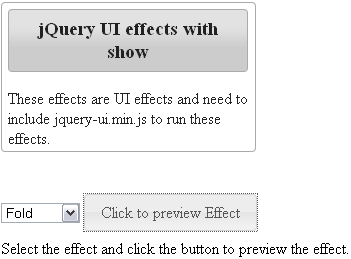
Example : UIeffects.html
<!DOCTYPE html> |
Output :
Learn from experts! Attend jQuery Training classes.