Servlet Example To Display Mysql Blob Data


This example shows you how to use JDBC's rich data type BLOB. The BLOB type stores/retreives large binary objects such as PDF files, video clips, JPEG/GIF pictures, and Microsoft word documents. A BLOB is a Binary Large Object in a database (represented as column object in a database record/rows). BLOB data can be large up to 2GB or more, depending on the database. getBlob() and setBlob() methods from interfaces like ResultSet, CallableStatemene and PreparedStatement can be used to access an SQL BLOB value. The Blob interface (java.sql.Blob) provides methods like length() to find the length of the value, position() to get the position of a pattern of bytes, getBytes() to retrieves all or part of the BLOB value as an array of bytes etc. According to the JDK 1.4.2, java.sql.Blob interface methods are as follows:
| Return Type | Method | Description |
| InputStream | getBinaryStream() | Retrieves the blob value designated by this blob value as a stream |
| byte[] | getBytes(long pos, int length) | Retrieve all or part of the blob value that this blob represents as an array of bytes. |
| long | length() | Returns the no of bytes in the Blob value designated by this Blob object |
| OutputStream | setBinaryStream(long pos) | Retrieves a stream that can be used to write to the Blob value |
| int | setBytes(long pos, byte[] bytes) | Write the given array of bytes to the Blob value that this Blob object represent, starting at position pos, and returns the no of bytes written |
| void | truncate(long len) | Truncates the blob value that this blob object represents to be len bytes in len |
Mysql BLOBs - Mysql has four kinds of BLOBs:
- TINYBLOB: The maximum length is 255 characters (8 bits)
- BLOB: The maximum length is 16,535 characters (16 bits)
- MEDIUMBLOB: The maximum length is 16,777,216 characters (24 bits)
- LONGBLOB: The maximum length is 4,294,967,295 characters (32 bits).
Creating The Table In Mysql Database:
| Table
Create Table -------- ----------------------------------------- pictures CREATE TABLE `pictures` ( `id` int(11) NOT NULL auto_increment, `image` blob, PRIMARY KEY (`id`) ) ENGINE=InnoDB DEFAULT CHARSET=latin1 |
This example shows you how to retrieve the Blob Image from Mysql database using the servlet.
DisplayBlobExample.java
import java.sql.Blob;
import java.sql.ResultSet;
import java.sql.Statement;
import java.sql.Connection;
import java.io.IOException;
import java.io.InputStream;
import java.sql.SQLException;
import java.sql.DriverManager;

import javax.servlet.ServletException;
import javax.servlet.ServletOutputStream;
import javax.servlet.http.HttpServlet;
import javax.servlet.http.HttpServletRequest;
import javax.servlet.http.HttpServletResponse;

public class DisplayBlobExample extends HttpServlet{
  public void doGet(HttpServletRequest request, HttpServletResponse response)
  throws IOException,ServletException {
  Blob image = null;
  Connection con = null;
  Statement stmt = null;
  ResultSet rs = null;
  ServletOutputStream out = response.getOutputStream();
  try {
  Class.forName("com.mysql.jdbc.Driver");
  con = DriverManager.getConnection("jdbc:mysql://192.168.10.59:3306/
   example","root","root");
  stmt = con.createStatement();
  rs = stmt.executeQuery("select image from pictures where  id = '2'");
  if (rs.next()) {
  image = rs.getBlob(1);
  } else {
  response.setContentType("text/html");
  out.println("<html><head><title>Display Blob Example</title></head>");
  out.println("<body><h4><font color='red'>image not found for given id</font>
  </h4></body></html>");
  return;
  }
  response.setContentType("image/gif");
  InputStream in = image.getBinaryStream();
  int length = (int) image.length();
  int bufferSize = 1024;
  byte[] buffer = new byte[bufferSize];
  while ((length = in.read(buffer)) != -1) {
  out.write(buffer, 0, length);
  }
  in.close();
  out.flush();
  } catch (Exception e) {
  response.setContentType("text/html");
  out.println("<html><head><title>Unable To Display image</title></head>");
  out.println("<body><h4><font color='red'>Image Display Error=" + e.getMessage() +
   "</font></h4></body></html>");
  return;
  } finally {
  try {
  rs.close();
  stmt.close();
  con.close();
  } catch (SQLException e) {
  e.printStackTrace();
  }
  }
  }
}
Mapping of servlet (DisplayBlobExample) in web.xml
|
<servlet> |
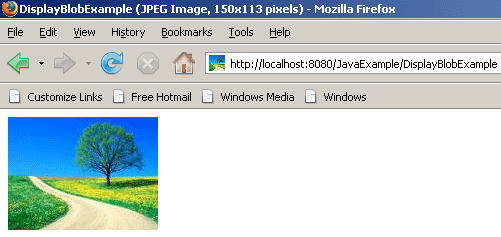
Run the servlet (DisplayBlobExample.java) on this url: http://localhost:8080/JavaExample/DisplayBlobExample. The data of the file will be displayed as below:
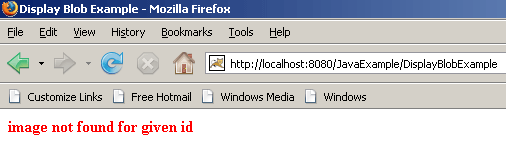
and if in case any error in database connection exists and there is no file on given id then the following message will be displayed.