
In common language we can say that the socket is one of the most primal technologies of computer networking.

Socket and ports


In common language we can say that the socket is one of the
most primal technologies of computer networking. Sockets are just like an
end-point of two-way communication, which allow applications to communicate
using network hardware and operating systems. However in case of java never get
confused with a socket. Socket classes are used to establish a connection
between client program and a server program. In java there is a java.net
package, which provides two types of classes- first is ordinary socket, which
implement the client side connection and second is server socket, which
implement the server side connection.
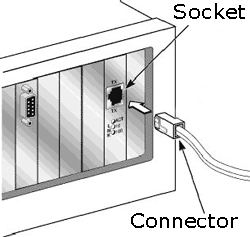 |
The main purpose of the server socket is to listen an incoming
connection request and ordinary socket is used to ask to server for the
connection. Once a connection between client and server established, both the
connected socket can communicate with each other.
In other hand we can consider the work of port in
connection-based communication is like a medium through which, an application
establish a connection with another application by binding a socket by a port
number. Addressing the information and the port no., accompanied the data
transfer over the network. The Ports are used by TCP and UDP to deliver the data
to the right application, are identified by a 16-bit number.
It
will take effect of registering the application with the system to receive all
data bound for that port. There is a limitation for the port that no port can be
bound by two applications at the same time.
Introduction
of networking Ports
In computer networking of
connection-based communication port is like a medium through which, an application
establish a connection with another application by binding a socket by a port
number. Addressing the information and the port no., accompanied the data
transfer over the network. The Ports are used by TCP and UDP to deliver the data
to the right application, are identified by a 16-bit number present in the header of a data packet. Ports are typically used to map data to
a particular process running on a client. If we consider a letter (data packet)
sent to a particular apartment (IP) with house no. (port no), at this time the
port no. is the most important part for the delivery of the letter. In order for the delivery
to work, the sender needs to include an house number along with the address
to ensure the letter gets to the right destination.
If we consider the client-server architecture, a server
application binds a socket to a specific port number in connection-based
communication. It registered the server with the system where all the data destined for that
port.
Now we are aware of the importance of the port number.
In the same order there are some ports which are predefine and called reserved
ports. Some of them are given below :-
| Service | Port no. |
| echo | 7 |
| daytime | 13 |
| ftp | 21 |
| telnet | 23 |
| smtp | 25 |
| finger | 79 |
| http | 80 |
| pop3 | 110 |
If we consider the range of the port numbers, there are 0 to 65,535 ports available. The port numbers ranging from 0 - 1023 are reserved ports or we can say that are restricted ports. All the 0 to 1023 ports are reserved for use by well-known services such as FTP, telnet and http and other system services. These ports are called well-known ports.