
In the example given below, we are creating the no argument constructor, then calling the super class constructor and then setting the size of the window

Getting Image from a URL


This example shows how to get an image from the given URL.
Description of program:
In the example given below, we are creating the no argument
constructor, then calling the super class constructor and then setting the size
of the window. Now we are getting content pane of the frame class, then setting the layout manager as the BorderLayout. But It is not necessary to
set the layout manager in case of BorderLayout as it is the default layout
manager for the frame's content pane. Now we are retrieving the Image from the
specified location then creating an object of the ImagePanel class that displays the image and exit button. Now
we register the window listener that closes the application whenever
window gets closed. We register the action listener for listening the
events done by the user by using the button. Then paints the background
and draws the image with its default size.
Here is the code of this program:
|
import java.net.*; import java.awt.*; import java.awt.event.*; import javax.swing.*; public class GettingImageFromURL extends JFrame implements ActionListener { private JButton exitButton = null; private URL url = null; public GettingImageFromURL() { super("Getting an Image from a specified URL"); this.setSize(170, 130); Container contentPane = this.getContentPane(); contentPane.setLayout(new BorderLayout()); try { url = new URL("http://www.roseindia.net/javacodeexamples/index.shtml/Gettin1.gif"); } catch (MalformedURLException e) { e.printStackTrace(); } Image img = Toolkit.getDefaultToolkit().getDefaultToolkit().createImage(url); exitButton = new JButton("Exit"); exitButton.addActionListener(this); ImagePanel imagePanel = new ImagePanel(img); contentPane.add(imagePanel, BorderLayout.CENTER); contentPane.add(exitButton, BorderLayout.SOUTH); this.addWindowListener(new WindowAdapter() { public void windowClosing(WindowEvent e) { System.exit(0); } }); } public void actionPerformed(ActionEvent actionevent) { String action = actionevent.getActionCommand(); if (action.equals("Exit")) { dispose(); System.out.println("Exiting."); System.exit(0); } else { System.out.println(action); } } public static void main(String[] args) { GettingImageFromURL mainFrame = new GettingImageFromURL(); mainFrame.setVisible(true); } } class ImagePanel extends JPanel { Image img; public ImagePanel(Image img) { this.img = img; } public void paintComponent(Graphics g) { super.paintComponent(g); g.drawImage(img, 0, 0, this); } } |
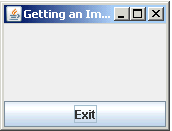
Here is the output of the above program:
| C:\Examples\URL>java GettingImageFromURL |
 |