Convert Black & White Image to Color Image


How to convert a black and white photograph to color?
This is an easy tutorial to learn easily the methods to convert blank and white photograph in a color photo. This tutorial has some easy steps to learn without any doubt.
We are going to design color photo from black and white, so choose a boy photograph here to make color photo. You can choose any photo to make color photo.
Let's Start
Open A Photograph: To make color photograph, you have to open a photograph to modify. Here I have a black and while photo of a child.

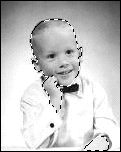
Selection: Now select the part of body you want to color. Select polygonal lasso tool and select head. If your first selection is completed and you want to add another selection then you have to use polygonal lasso tool by holding shift key, when completed your selection leave the shift key. As I selected in the image below.
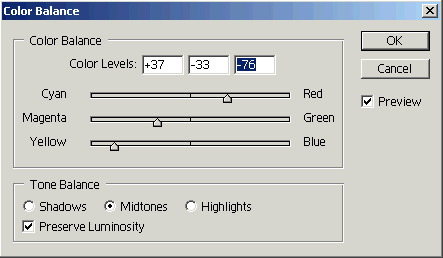
Color Setting: Now you have a selected black and white image to add color. Go to image > Adjustment > Color Balance and set the color as given below.
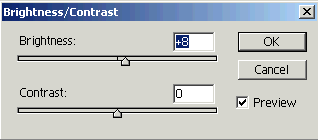
Add Brightness and Contrast: To change the brightness and contrast of your image, go to image > Adjustment > Brightness/Contrast and set the value as given below.
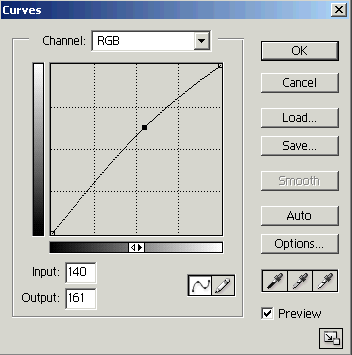
Use Curves: Use curves as given below.