How JSP Forwards a request


In this section you will study how jsp forwards a request.
The <jsp:forward> forwards the request information from one resource to the other, for example, one jsp file to other. To forward a request from one page to other, following syntax is required which forwards the request to other page. If a string or an expression represents the URL to forward the page, use the syntax:
| <jsp:forward page={"relativeURL" | "<%= expression %>"} /> |
If you want to send one or more name/value pairs as a parameters, use the syntax:
|
<jsp:forward page={"relativeURL" | "<%= expression
%>"} > <jsp:param name="parameterName"value=" {parameterValue | <%= expression %>}" />+ </jsp:forward> |
Here is the code of forward.jsp:
| <%@ page language ="java" %> <html> <head><title>jsp forwarding a request</title></head> <jsp:forward page="/jsp/welcome.jsp"/> </html> |
The above jsp page forwards the request to welcome.jsp page by using <jsp:forward page="/jsp/welcome.jsp"/>
Here is the code of welcome.jsp
| <%@page language="java" %> <html> <head><title>jsp forwarding a request</title></head> <body> <h3><b>Welcome!</b></h3> This is a JSP forward request Example. Request is forward here. </body> </html> |
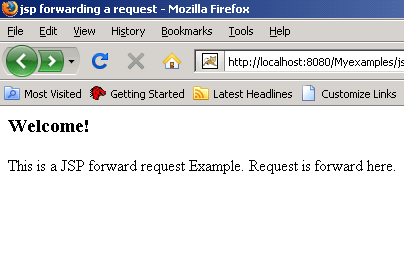
This is the requested page.
Output will be displayed as