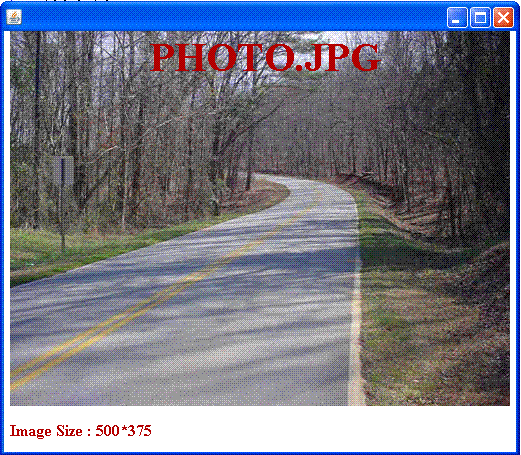
This Example shows you get the image size.

Get Image Size Example


Description of the code :
Toolkit.getDefaultToolkit() : Toolkit class is used to bind the different components to specific native toolkit implementations. if we want to implementation Toolkit then firstly set System property named "java.awt.headless" is set to true.getDefaultToolkit is used for get the default toolkit.
Toolkit.getImage() : getImage method return a Image class object and this object get pixel data from the specified URL.
Graphics.drawImage() : drawImage method is used to draw a specified image as is currently available. The image is drawn with its top-left corner at (x, y) coordinate.
Image.getWidth() : getwidth method is used for get the image width.
Image.getHeight() : getwidth method is used for get the image Height.
Graphics.drawString() : drawImage method is used for draw a specified String. Its top-left corner at (x, y) coordinate.
Frame.setSize () : setSize method is used for set the frame size.
Frame.setVisible() : setVisile method is used for visible true or false.
GetImageSize.java
|
import java.awt.*; import java.awt.event.*; import java.util.Locale; public class GetImageSize extends Frame { Image image; String imageName = "photo.jpg"; int width,height; public GetImageSize() { addWindowListener(new WindowAdapter() { public void windowClosing(WindowEvent we) { System.exit(0); } }); } public void paint(Graphics g) { Toolkit tool = Toolkit.getDefaultToolkit(); image = tool.getImage(imageName); width=image.getWidth(this); height=image.getHeight(this); this.setSize(width+20,height+80 ); g.drawImage(image, 10, 30, this); g.setColor(new Color(180,0,0)); g.setFont(new Font("Times New Roman",1, 40)); g.drawString(imageName.toUpperCase(Locale.ENGLISH), width/2-50, 70); g.setFont(new Font("Times New Roman",1, 16)); g.drawString("Image Size : "+width+ "*"+height,10,height+60); } public static void main(String args[]) throws Exception { GetImageSize image = new GetImageSize(); image.setVisible(true); image.setLocation(200, 100); } } |
Output: