
Drop Table in Database


The Drop Statement in SQL Command is used to delete or remove indexes, tables and database. The Syntax used for Drop table statement in database is given as:
Drop Table table_ Name;
The above syntax is used to delete a table.
table Name : specify the name of the table, which you want to delete from database.
Understand with Example
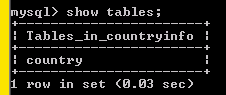
The Tutorial illustrates an example from Drop Table in Database. In this tutorial we show you a table created in database using show tables.
 |
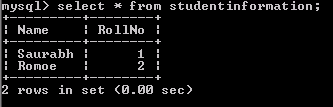
Now we create another table 'student information'. The insert statement is used to add the record to the table 'student information'.
 |
The select statement is used to retrieve the record from the table 'student information'.
 |
The show tables show you the list of table available in database.
 |
The drop statement is used to delete a table from database.
 |
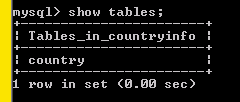
Once the table is deleted using drop statement, the table is no longer to be shown in the database. When we write show tables, this will show you the table available in database.
 |