Use of <fn:subString(String, int, int)> Tag of JSTL


In this section we will learn how to use <fn:subString>
Tag of JSTL. This tag returns a subset of a string of specified length. This takes string
and integer type as arguments and return string type.
| Syntax : |
java.lang.String substring(java.lang.String,
int, int) |
subString_fnJstlTag.jsp
<%@ taglib uri="http://java.sun.com/jsp/jstl/functions" prefix="fn" %>
<%@ taglib uri="http://java.sun.com/jsp/jstl/core" prefix="c" %>
<html>
<head>
<title>Example of 'fn:subString' tag of jstl</title>
</head>
<body>
<form method="POST">
Enter String here and mention upper and lower limit to
cut substring<br> from this given string.
<table>
                <tr>
                    <td>Enter String</td>
                    <td><input type="text" name="string"></td>
                </tr>
                <tr>
                    <td>Start from</td>
                    <td><input type="text" name="start" size="3"></td>
                </tr>
                <tr>
                    <td>End to</td>
                    <td><input type="text" name="end" size="3"></td>
                </tr>
                <tr>
                    <td></td>
                    <td><input type="submit" value="cut"></td>
                </tr>
            </table>
        </form>
        <c:if test="${pageContext.request.method=='POST'}">
            <c:catch var="exception">
                <c:set var="string" value="${param.string}"/>
                <c:set var="start" value="${param.start}"/>
                <c:set var="end" value="${param.end}"/>
                <font size="5" color="green">

                    <c:out value="${fn:substring(string,start,end)}"/>

                </font>
            </c:catch>
            <c:if test="${exception!=null}">
                <font size="5" color="red">Error Found.</font>
            </c:if>
        </c:if>
    </body>
</html>
|
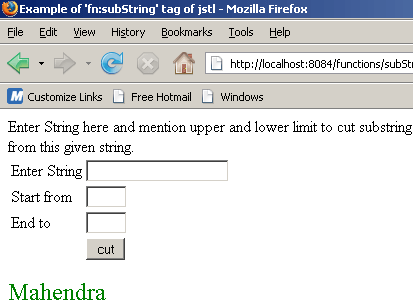
This jsp code shows the following output :

Here user will enter string and specify the start and
end point form where user wants to retrieve the sub string....
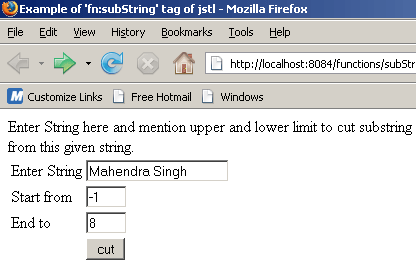
When user clicks on cut button, output will be.......