Session Management in JSP


As we know that the Http protocol is a stateless protocol, that means that it can't persist the data. Http treats each request as a new request so every time you will send a request you will be considered as a new user. It is not reliable when we are doing any type of transactions or any other related work where persistence of the information is necessary. To remove these obstacles we use session management. In session management whenever a request comes for any resource, a unique token is generated by the server and transmitted to the client by the response object and stored on the client machine as a cookie. We can also say that the process of managing the state of a web based client is through the use of session IDs. Session IDs are used to uniquely identify a client browser, while the server side processes are used to associate the session ID with a level of access. Thus, once a client has successfully authenticated to the web applicatiion, the session ID can be used as a stored authentication voucher so that the client does not have to retype their login information with each page request. Now whenever a request goes from this client again the ID or token will also be passed through the request object so that the server can understand from where the request is coming. Session management can be achieved by using the following thing.
1. Cookies: cookies are small bits of textual information that a web server sends to a browser and that browsers returns the cookie when it visits the same site again. In cookie the information is stored in the form of a name, value pair. By default the cookie is generated. If the user doesn't want to use cookies then it can disable them.
2. URL rewriting: In URL rewriting we append some extra information on the end of each URL that identifies the session. This URL rewriting can be used where a cookie is disabled. It is a good practice to use URL rewriting. In this session ID information is embedded in the URL, which is recieved by the application through Http GET requests when the client clicks on the links embedded with a page.
3. Hidden form fields: In hidden form fields the html entry will be like this : <input type ="hidden" name = "name" value="">. This means that when you submit the form, the specified name and value will be get included in get or post method. In this session ID information would be embedded within the form as a hidden field and submitted with the Http POST command.
In JSP we have been provided a implicit object session so we don't need to create a object of session explicitly as we do in Servlets. In Jsp the session is by default true. The session is defined inside the directive <%@ page session = "true/false" %>. If we don't declare it inside the jsp page then session will be available to the page, as it is default by true.
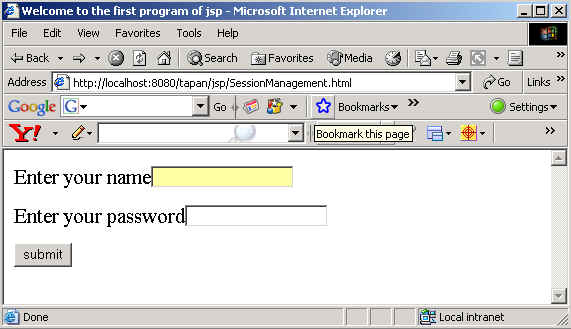
For the convenience to understand the concept of session management we have made one program.
The code of the program is given below:
<html>
	<head>
		<title>Welcome to the first program of jsp</title>
	</head>
	<body>
	<form method = "post" action = "FirstPageOfSession.jsp">
  <font size = 6>Enter your name<input type = "text" name = "name"></font><br><br>
  <font size = 6>Enter your password<input type="password" name = "pwd" >
                </font><br><br>
		<input type = "submit" name = "submit" value = "submit" >
	</form>
	</body>
</html>
<%
    String name = request.getParameter("name");
	String password = request.getParameter("pwd");
	if(name.equals("Williams") && password.equals("abcde"))
	{
		session.setAttribute("username",name);
		response.sendRedirect("NextPageAfterFirst.jsp");
	}
	else
	{
		response.sendRedirect("SessionManagement.html");
	}
	%>
<html>
	<head>
		<title>Welcome in In the program of URL rewriting</title>
	</head>
	<body>
<font size = 6>Hello</font> <%= session.getAttribute("username") %>
	</body>
</html>
The output of the program is given below:
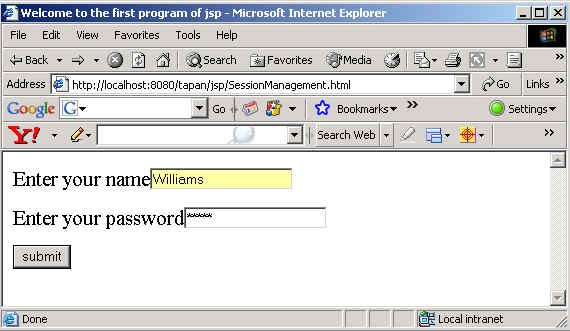
When the values entered is correct.

When the entered values are incorrect, the SessionManagement.html will be displayed again to you.