JSP Meta refresh


In this section, you will learn how to use a META tag in the jsp. The META tag with an HTTP-EQUIV attribute controls the action of browsers, by setting the HTTP headers. In the given example that we have used "Refresh" value in order to specify a delay in seconds. This will automatically reloads the browser. The attribute CONTENT="3" of the META tag refreshes the browser after every 3 seconds. The Scriptlet include a session .getValue("count") returns the value of the count. After every 3 second the value of the counter is incremented by 1. In case there is no count associated with the session, the jsp starts a new count using session.putValue ("count", newInteger(i). toString ( )) method.
Here is the code of metaRefresh.jsp
| <html> <META HTTP-EQUIV="Refresh" CONTENT="3"> <% int i=0; String s = (String) session.getValue("count"); if (s!=null) { i = Integer.parseInt(s); out.println("<h2>Counter is: "+i+"<h2>" ); i++; } session.putValue("count",new Integer(i).toString()); %> </body> </html> |
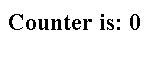
Output will be displayed as:
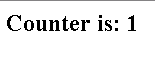
After 3 seconds the browser will get automatically refresh and increments the counter value: