Use of <fn:containsIgnoreCase(String, String)> Tag of JSTL


In this section we will learn how to use <fn:containsIgnoreCase>
Tag of JSTL. This tag is used to check that given string contains the specified sub string
or not. This takes string type as argument and return boolean type true or
false. This matches the sub string without case sensitivity.
| Syntax : |
boolean containsIgnoreCase(java.lang.String,
java.lang.String) |
containsIgnoreCase_fnJstlTag.jsp
<%@ taglib uri="http://java.sun.com/jsp/jstl/functions" prefix="fn" %>
<%@ taglib uri="http://java.sun.com/jsp/jstl/core" prefix="c" %>
<html>
    <head>
        <title>Example of 'fn:containsIgnoreCase' tag of jstl</title>
    </head>
    <body>
        <c:set var="name" value="My name is Mahendra Singh"/>
        <c:out value="given String is : ${name}"/>
        <form method="POST">
            <table>
                <tr>
                    <td>Enter String</td>
                    <td><input type="text" name="searchString"></td>
                </tr>
                <tr>
                    <td></td>
                    <td><input type="radio" name="case" value="y"> Match Case
                    <input type="radio" name="case" value="n"> Ignore Case  </td>
                </tr>
                <tr>
                    <td></td>
                    <td><input type="submit" value="Search"></td>
                </tr>
            </table>
        </form>
        <c:if test="${pageContext.request.method=='POST'}">

                        <c:set var="searchString" value="${param.searchString}"/>
            <c:if test="${param.case=='y'}">
                <c:choose>
                    <c:when test="${fn:contains(name, searchString)==true}">
                        <font size="5" color="green">String Found.</font>
                    </c:when>
                    <c:otherwise>
                        <font size="5" color="red">String not Found.</font>
                    </c:otherwise>
                </c:choose>
            </c:if>
            <c:if test="${param.case=='n'}">
                <c:choose>

                    <c:when test="${fn:containsIgnoreCase(name, searchString)==true}">

                        <font size="5" color="green">String Found.</font>
                    </c:when>
                    <c:otherwise>
                        <font size="5" color="red">String not Found.</font>
                    </c:otherwise>
                </c:choose>
            </c:if>
        </c:if>
    </body>
</html>
This jsp code shows the following output :
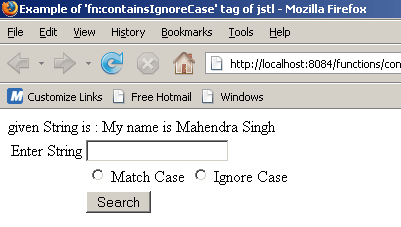
Given String is "My name is Mahendra Singh",
user can search any sub string from the given string. Suppose want to search 'Mahendra',
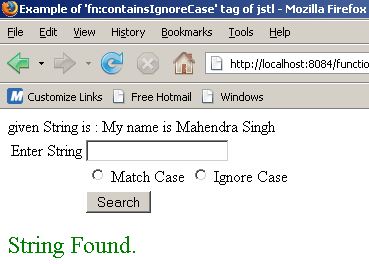
type 'Mahendra' in the text box and click on Search button, output will
be.......
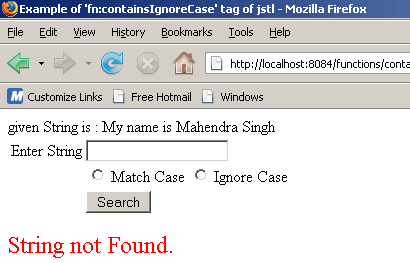
If found any error in search or string not found,
output will be an error message.......