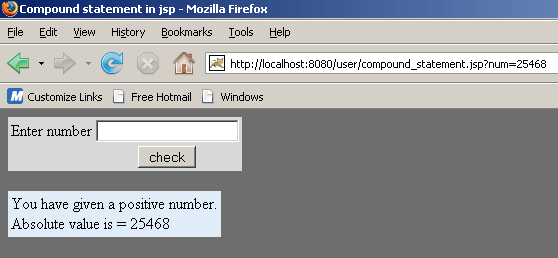
Use Compound Statement in JSP Code


A compound statement is collection of statements enclosed with in braces. In general, statement works without braces but it only execute single statement and rest of the statements takes as normal statement and execute them.
Example :
| if( boolean condition) statement1; statement2; statement3; |
Here in the above code only statement1 will be execute if boolean condition gets true and rest statements execute as a normal statement.
| if( boolean condition) { statement1; statement2; statement3; } |
In the code above all the three statements are executed if boolean condition gets true because all the statements are bound with braces in if condition.
Compound statements are used with:
| if statement while statement for statement try statement method definition class definition etc. |
Create an application directory named "user" in the tomcat-6.0.16/webapps. The following jsp code will show you how to use compound statement.
compound_statement.jsp
<!DOCTYPE HTML PUBLIC "-//W3C//DTD HTML 4.01 Transitional//EN"
"http://www.w3.org/TR/html4/loose.dtd">
<HTML>
<HEAD>
    <TITLE>Compound statement in jsp</TITLE>
</HEAD>
<BODY bgcolor="#6E6E6E">
    <FORM NAME="form1" ACTION="compound_statement.jsp" METHOD="get">
        <TABLE bgcolor="#D8D8D8">
        <tr>
            <td> Enter number </td>
            <td><input type="text" name="num"></td>
        </tr>
               <tr align="center"><td></td>
        <td><INPUT TYPE="submit" VALUE="check"></td></tr></TABLE>
	<br>
	<TABLE bgcolor="#E0ECF8"><tr><td>
    </FORM>

    <% try {
	   // Here if statement is used for more than one statement.
           if (request.getParameter("num") != null &&
               request.getParameter("num")!=""){
               	       // Compound statement is used in 'if' statement
               if (Long.parseLong(request.getParameter("num"))>0 ){
                   out.println("You have given a positive number.<br>");
                   out.println("Absolute value is = " +
		         Math.abs(Long.parseLong(request.getParameter("num"))));
		                       }
	       if (Long.parseLong(request.getParameter("num"))<0 ){
                   out.println("You have given a negative number.<br>");
                   out.println("Absolute value is = " +
		   Math.abs(Long.parseLong(request.getParameter("num"))));
               }
               	       // only single statement is used in 'if' statement
	       if (Long.parseLong(request.getParameter("num"))==0 )
                   out.println("You have entered ZERO.");
	      }
	  }
	  catch(Exception ex){
		  out.println("<font color=\"red\">You have entered
                  wrong input value</font>");
                  		  out.println("<font color=\"green\">Try again</font>");
	  }
    %>
 </BODY>
</HTML>
Save this code as a .jsp file named "compound_statement.jsp" in the directory Tomcat-6.0.16/webapps/user/. Run tomcat server by clicking on startup.bat file in bin directory of tomcat. Run this jsp page with following url in address bar of the browser: http://localhost:8080/user/compound_statement.jsp
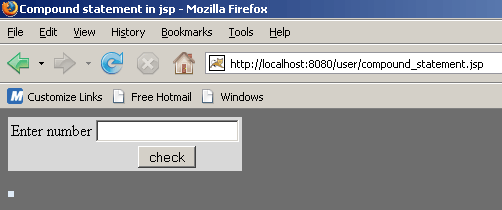
This is the first page, user enter valid digit in the text box and click check button. This application check that given number is positive or negative or zero and show appropriate message.
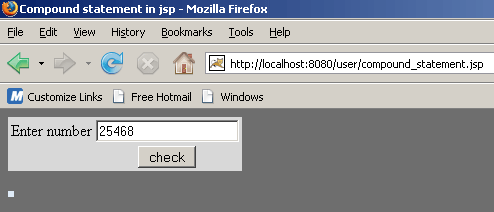
When user click on check button.......

If user enters invalid value in text box then this application shows an error message.....