This example demonstrates you how to import a file of exported preference data.

Importing Preferences


Preferences can be exported using the methods Preferences.exportNode() and Preferences.exportSubtree(). This exported data can be imported by using the method Preferences.importPreferences(). The preference in the exported data contains the path of the node that held the preference. When the exported preference is imported, it is added to the node with the same path. You can see in the given example that we have create an file input stream and by using the method importPreferences(is), we can import all of the preferences represented by the XML document on the specified input stream. To display the imported data on the console, we have used the method exportSubtree(System.out).
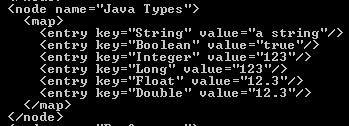
Here is the code of JavaTypes.xml
| <?xml version="1.0" encoding="UTF-8" standalone="no"?> <!DOCTYPE preferences SYSTEM "http://java.sun.com/dtd/preferences.dtd"> <preferences EXTERNAL_XML_VERSION="1.0"> <root type="user"> <map/> <node name="Java Types"> <map> <entry key="String" value="a string"/> <entry key="Boolean" value="true"/> <entry key="Integer" value="123"/> <entry key="Long" value="123"/> <entry key="Float" value="12.3"/> <entry key="Double" value="12.3"/> </map> </node> </root> </preferences> |
Here is the code of ImportPreferences.java
import java.util.prefs.*;
|
Output will be displayed as: