
Kxml Parser Example


In this example we use "catching parsing events" way to parse the xml. Through 'catching parsing events', the parser traverses the XML data and issues callbacks to a previously registered event listener whenever it encounters particular structures in the data. For example, when the parser encounters an opening tag such as <employee> then the event listener would receive an event notifying it of the encounter and pass it any necessary information. A parser implements such a strategy is called a push parser because the parser is "pushing" the event to a listener.
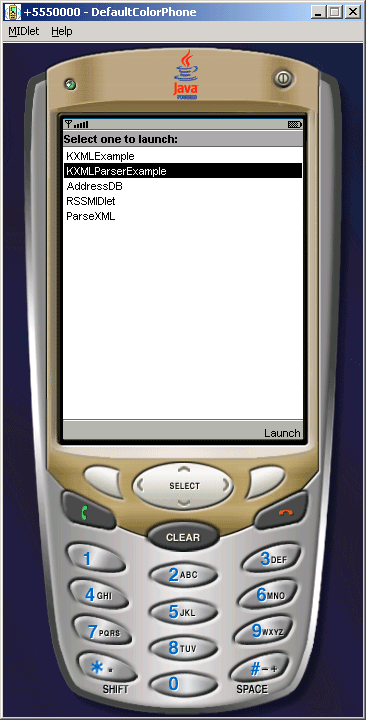
The Entire Application is as follows:
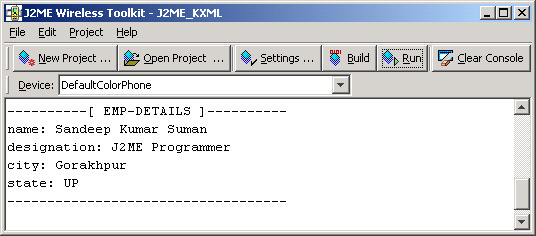
Program console screen shot:
Full code of the application
KXMLParserExample.java
import java.io.*;
import org.kxml.*;
import org.kxml.parser.*;
import javax.microedition.io.*;
import javax.microedition.lcdui.*;
import javax.microedition.midlet.*;

public class KXMLParserExample extends MIDlet {
  public String emp = "/employee.xml";
  XmlParser parser = null;

  protected void startApp(){
  try{
  parser = new XmlParser(new
  InputStreamReader(this.getClass().getResourceAsStream(emp)), 300);   ParseEvent event = null;
  while((event = parser.read()).getType() != Xml.END_DOCUMENT){
  if(event.getType() == Xml.START_TAG){
  String name = event.getName();
  if(name != null && name.equals("details")){
  System.out.println("----------[ EMP-DETAILS ]----------");
  parseAddressTag( parser );
  System.out.println("-----------------------------------\n");
  }
  name = null;
  }
  event = null;
  }
  }catch (IOException ioe){
  System.out.println("XML Parsing Error: " + ioe);
  ioe.printStackTrace();
  }finally{
  parser = null;
  }
  }

  protected void pauseApp(){}

  public void parseAddressTag( XmlParser parser ) throws IOException {
  ParseEvent event = null;
  while ((event = parser.peek()).getType() != Xml.END_DOCUMENT) {
  String name = event.getName();
  int type = event.getType();
  if (type == Xml.END_TAG && name.equals("details")) {
  event = null;
  name = null;
  return;
  }
  event = parser.read();
  if (type != Xml.START_TAG) {
  event = null;
  continue;
  }
  ParseEvent next = parser.read();
  if (next.getType() != Xml.TEXT) {
  event = null;
  next = null;
  continue;
  }
  String text = next.getText();
  System.out.println( name + ": " + text );
  event = null;
  text = null;
  next = null;
  }
  }

  protected void destroyApp(boolean arg){
  notifyDestroyed();
  }
}
employee.xml
| <employee> <details> <name>Sandeep Kumar Suman</name> <designation>J2ME Programmer</designation> <city>Gorakhpur</city> <state>UP</state> </details> </employee> |