Local style sheets in Flex4
You can set the style of components in
Local style sheets in Flex4:
You can set the style of components in <fx:Style> tag.
You can make a class and set the properties in it. The syntax is following:
<fx:Style>
@namespace namespace_identifiernamespace_string;
selector_name {
style_property: value;
[...]
}
</fx:Style>
You will call the class in component by using styleName property.
Example:
|
<?xml version="1.0" encoding="utf-8"?> <s:Application xmlns:fx="http://ns.adobe.com/mxml/2009"xmlns:s=" library://ns.adobe.com/flex/spark"xmlns:mx=" library://ns.adobe.com/flex/mx"minWidth=" 955" minHeight="600">} .label{ font-family:"Verdana";} label=" Submit"styleName=" button"x=" 85" y="31"/>x=" 34" y="84"styleName=" label"/></s:Application> |
Output:
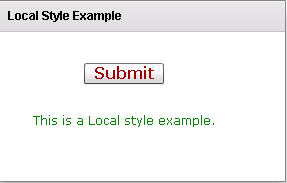
Running Application:
To view this page ensure that Adobe Flash Player version 10.0.0 or greater is installed.



