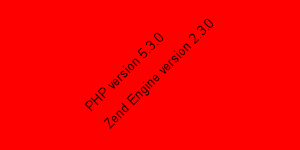
PHP GD imagettfbox
This example shows how to display imagettfbox in php gd.
This example shows how to display imagettfbox in php gd.<?php
$im
= imagecreatetruecolor(300, 150);$black
= imagecolorallocate($im, 0, 0, 0);$red
= imagecolorallocate($im, 255, 0, 0);imagefilledrectangle(
$im, 0, 0, 299, 299, $red);$font
= 'C:/WINNT/Fonts/arial.ttf';$bbox
= imagettfbbox(10, 45, $font, 'PHP version ' . phpversion());$x
= $bbox[0] + (imagesx($im) / 2) - ($bbox[4] / 2) - 25;$y
= $bbox[1] + (imagesy($im) / 2) - ($bbox[5] / 2) - 5;imagettftext(
$im, 10, 45, $x, $y, $black, $font, 'PHP version ' . phpversion());$bbox
= imagettfbbox(10, 45, $font, 'Zend Engine version ' . zend_version());$x
= $bbox[0] + (imagesx($im) / 2) - ($bbox[4] / 2) + 10;$y
= $bbox[1] + (imagesy($im) / 2) - ($bbox[5] / 2) - 5;imagettftext(
$im, 10, 45, $x, $y, $black, $font, 'Zend Engine version ' . zend_version());header(
'Content-type: image/png');imagepng(
$im);imagedestroy(
$im);?>
After running the program you will get the following output