HTML5 dfn tag, Definition of <dfn> tag in html
In this tutorial we will inform you about the use and implementation of the <dfn> tag.
In this tutorial we will inform you about the use and implementation of the <dfn> tag.HTML5 dfn tag, Definition of <dfn> tag in html
In this tutorial we will inform you about the use and implementation of the <dfn> tag. The <dfn> tag defines the term or word which is to be defined. It defines the word in the italic font style as a definition word in the document. This tag is used only for indicating the definition term. We can't use the nested dfn tag. The <dfn> tag must have </dfn> tag. There is no specific attribute for this tag; only global attributes are used.
Declaration Syntax:
The syntax for <dfn> tag is as follows:
| <dfn>Definition term</dfn> |
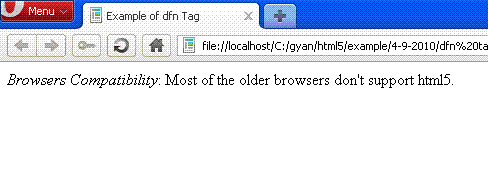
Example: Dfn_tag.html.
| <!DOCTYPE html> <html> <head> <title>Example of dfn Tag</title> </head> <body> <dfn>Browsers Compatibility</dfn>: Most of the older browsers don't support html5. </body> </html> |
Output:
Difference between HTML5 and HTML4
There is no difference between both versions.


