
In this tutorial, you will see the use of struts2.2.1 set tag. The set tag is a generic (Data) tag that is used to assign a value of property to another name in a specified scope. It is useful when you wish to assign a variable to a complex expression and then simply reference that variable each time rather than the complex expression.
Directory structure of set tag example.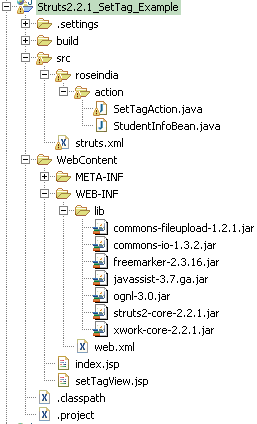 |
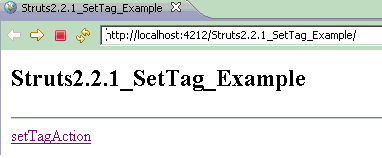
1- index.jsp
|
<%@taglib uri="/struts-tags" prefix="s" %>ADS_TO_REPLACE_1 <html> <head> <title>Struts2.2.1_SetTag_Example</title>ADS_TO_REPLACE_2 </head> <body> <h2>Struts2.2.1_SetTag_Example</h2>ADS_TO_REPLACE_3 <hr> <s:a href="setTagAction.action">setTagAction</s:a> </body>ADS_TO_REPLACE_4 </html> |
2-SetTagAction .java
|
package roseindia.action; import com.opensymphony.xwork2.ActionSupport;ADS_TO_REPLACE_5 public class SetTagAction extends ActionSupport{ public String execute() throws Exception { return super.execute();}ADS_TO_REPLACE_6 } |
3-StudentInfoBean .java
|
package roseindia.action; public class StudentInfoBean {ADS_TO_REPLACE_7 private String name="bharat"; private String age="24"; public String getName() {ADS_TO_REPLACE_8 return name;} public void setName(String name) { this.name = name;}ADS_TO_REPLACE_9 public String getAge() { return age;} public void setAge(String age) {ADS_TO_REPLACE_10 this.age = age;} } |
4_struts.xml
|
<struts> <package name="roseindia" extends="struts-default" namespace="/">ADS_TO_REPLACE_11 <action name="setTagAction" class="roseindia.action.SetTagAction"> <result name="success">setTagView.jsp</result> </action>ADS_TO_REPLACE_12 </package> </struts> |
5_setTagView.jsp
|
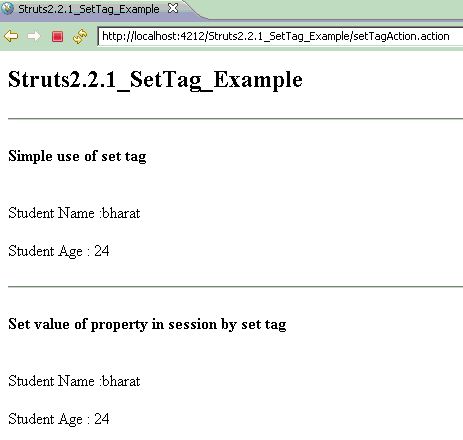
<%@taglib uri="/struts-tags" prefix="s" %> <html>ADS_TO_REPLACE_13 <head><title>Struts2.2.1_SetTag_Example</title></head> <body> <h2>Struts2.2.1_SetTag_Example</h2>ADS_TO_REPLACE_14 <hr><s:bean name="roseindia.action.StudentInfoBean" var="infoBean"> </s:bean> <h4>Simple use of set tag </h4><br/>ADS_TO_REPLACE_15 <s:set name="name" value="#infoBean.name" /> <s:set name="age" value="#infoBean.age" /> Student Name :<s:property value="name"/><br/><br/>ADS_TO_REPLACE_16 Student Age : <s:property value="age"/><br/><br/><hr/> <h4>Set value of property in session by set tag</h4><br/> <s:set name="name" value="#infoBean.name" scope="session"/>ADS_TO_REPLACE_17 <s:set name="age" value="#infoBean.age" scope="session" /> Student Name :<s:property value="#session['name']"/><br/><br/> Student Age : <s:property value="#session['age']"/><br/><br/>ADS_TO_REPLACE_18 </body> </html> |
index.gif
 ADS_TO_REPLACE_19
pushResult.gif
Download Select Source CodeADS_TO_REPLACE_20
Advertisements
Ads
Ads
