JavaScript sub method


In the JavaScript, sub() method is used to format text in subscript format. It creates a copy of string and then embed it within <sub></sub> tags as in HTML. It is very useful when we have to show the mathematical expressions (e.g logyX etc.)
Syntax:
| String_Object.sub(); |
It returns the copy of string in the subscript format e.g. Hello would be displayed in the format like Hello.
Description of code:
Here we have created an input text and a button. We have to supply string into the input text to convert it into subscript format. Click on the button to call the function subscriptText() as defined in the JavaScript within the <script></script> tags. It takes the text string into a variable textToSubscript and there after we have converted the string into subscript format by calling method sub() on the string reference object. Here is the full HTML code as follows :
Description of Code:
<html>
 <head>
   <title>
      Convert string to subscript
   </title>
   <script language="JavaScript">
     function subscriptText()
     {
	var textToStrike = document.getElementById('txt').value;
	document.write("<p> Subscript text "+
          textToStrike.sub()+"</p>");
     }
   </script>
 </head>
<body>
<div style="background: #ff9900; width:'100%';" align="center">
  <font color="#0000ff" size="12pt">
	<b>sub() Example</b>
  </font>
 </div>
<center>
Insert any text <input type="text" id="txt" /><br>
<input type="button" value="Convert text to subscript"
     onClick="return subscriptText();"/>
</center>
</body>
</html>
|
Output:
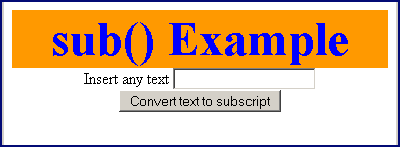
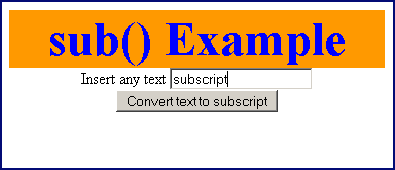
Input text and click on the "Convert text to subscript" button.
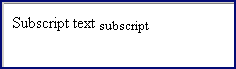
As you can see that text "subscript" is printed in the document in the subscript format.