In this Tutorial we want to describe you a code that help you in understanding JavaScript array length function.
JavaScript array length function


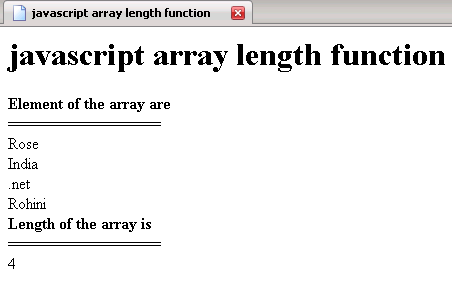
In this Tutorial we want to describe you a code that help you in understanding JavaScript array length function. We are using JavaScript language as scripting language. The var array instantiate an array object that hold the values of element from [0]-[3] specified by array index. The document. write print the 'Element of the array' followed by line breaker. The for loop execute and run the script till var i is less than the array length. The document. write print the list of element hold by an array object .In the same we print the length of an array using document. write by taking array1 object passed as argument to the function get length ( ).
javascript_array_length_function.html
<html>
|
Output of the program
 |
