In this example of getting JavaScript array elements randomly we have printed the array elements by the random index position of the array.

JavaScript array get elements at random


In this example of getting JavaScript array elements randomly we have printed the array elements by the random index position of the array. For generating random numbers we have used the Math.random() function.
In our HTML code we have created an array of ten elements and have stored ten elements in this array object arrName. Now in the variables firstRandomNumber, secondRandomNumber and thirdRandomNumber we have generated three random numbers between value "0" and "9". Each and every time when the page is refreshed it changes the value of these three random variable and therefore we get the three different elements each time in the running page. Here is the full example code for printing the array elements by the random index position:
javascript_array_random.html
<html>
|
Output is as follows:
It shows three random elements from the array at three position in the HTML page.
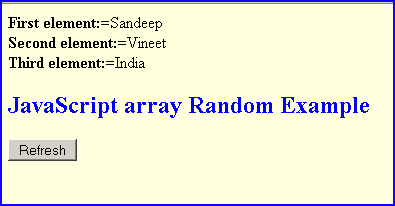
If you click on the "Refresh" button it will print different array elements randomly.