
In this section we will use JOptionPane class to display the message Dialog box.
Show Dialog Box in Java - Swing Dialogs


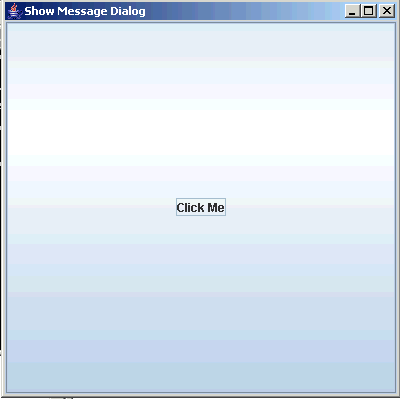
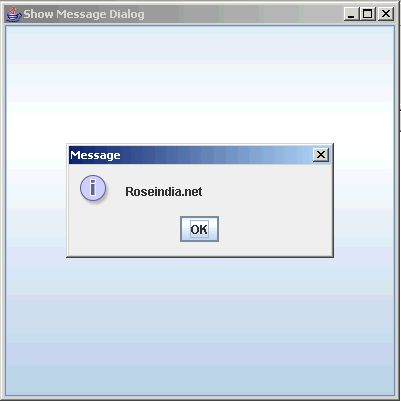
Message dialog box is used to display informative messages to the user. In this section we will use JOptionPane class to display the message Dialog box. Our program display "Click Me" button on the window and when user clicks on it program displays Message box with "OK" button and message "Roseindia.net".
When you run the program following window will be displayed:
When you click on "Click Me" button, following Message is displayed:
Program description:
JOptionPane Class:
In non-swing application we were using System.in class for input or output some text or numeric values but now in the swing application we can use JOptionPane to show the output or show the message. This way of inputting or outputting works very efficiently in the Swing Applications. The window for showing message for input or output makes your application very innovative.
JOptionPane class is available in the javax.swing.*; package. This class provide various types of message dialog box as follows:
- A simple message dialog box which has only one button i.e. "Ok". This type of message dialog box is used only for showing the appropriate message and user can finish the message dialog box by clicking the "Ok" button.
- A message dialog box which has two or three buttons.
You can set several values for viewing several message dialog box as
follows:
1.) "Yes" and "No"
2.) "Yes", "No" and "Cancel"
3.) "Ok", and "Cancel" - A input dialog box which contains two buttons "Ok" and "Cancel".
The JOptionPane class has three methods as follows:
- showMessageDialog(): First is the showMessageDialog() method which is used to display a simple message.
- showInputDialog(): Second is the showInputDialog() method which is used to display a prompt for inputting. This method returns a String value which is entered by you.
- showConfirmDialog(): And the last or third method is the showConfirmDialog() which asks the user for confirmation (Yes/No) by displaying message. This method return a numeric value either 0 or 1. If you click on the "Yes" button then the method returns 1 otherwise 0.
How program Works:
This program illustrates you how to show a message dialog box when you click on the button.
showMessageDialog():
This method is used to show a message dialog box which contains
some text messages. This is being used with two arguments in the program where the
first argument is the parent object in which the dialog box opens and another is
the message which has to be shown.
Here is the code of the program:
import javax.swing.*;
|
